What Is an AI Ad Generator? A Practical Guide
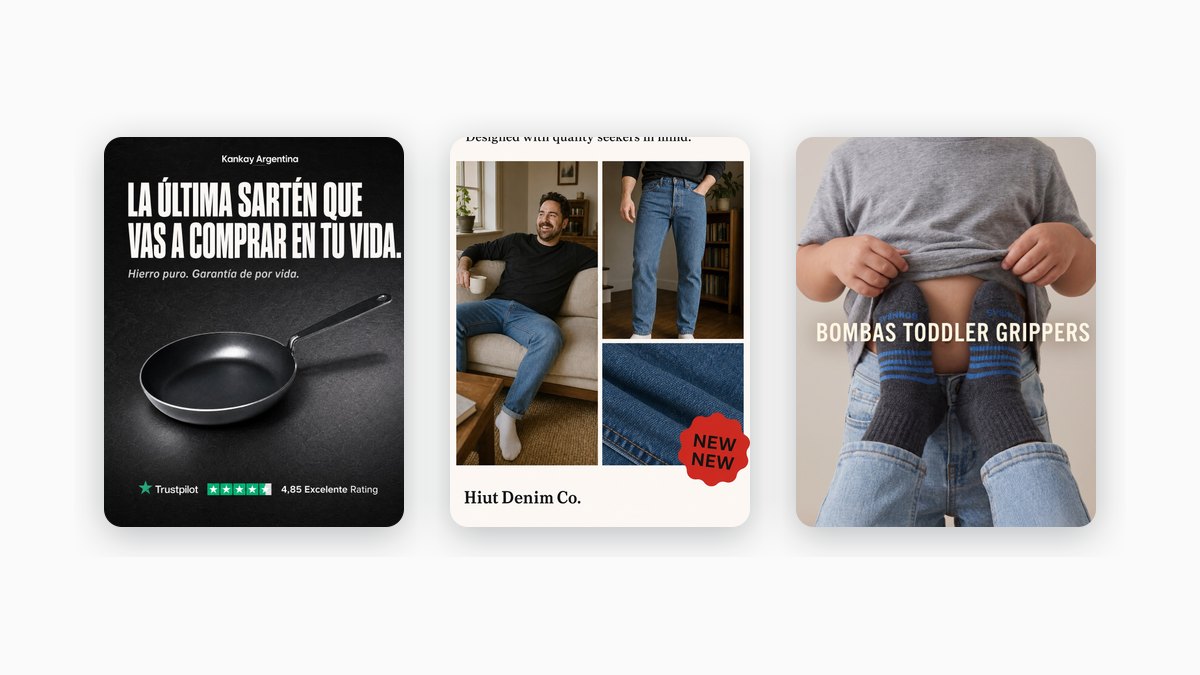
Creative decides most of what happens on paid social. Common Thread Collective puts a number on it: "56% of all outcomes on Meta are driven solely by creative." That's why a growing number of teams reach for software to produce their ads instead of briefing a designer for every variation. This guide explains the category plainly, so you can tell the tools apart before you pay for one.
What an AI ad generator is
An AI ad generator is software that produces ad creative (the copy and the visuals) from a short input you give it. Instead of opening a blank design file, you hand the tool a prompt, a link, or a photo, and it returns an ad you can run or refine. The category spans image tools, video tools, and full design suites with an AI layer bolted on, and the right one depends on what you actually make.
How an AI ad generator works
Every tool in this category follows the same loop: you give it an input, it produces an output.
The input is usually one of three things:
- A text prompt. You describe the product, the offer, and the vibe, and the tool generates from that description.
- A product URL. You paste your store or product page, and the tool reads your product, images, and sometimes your brand details to work from.
- A product photo. You upload a packshot or a lifestyle shot, and the tool builds the ad around it.
The output is ad creative: a headline and body copy, a visual (a static image or a short video), and often several size variants for different placements (a square feed ad, a vertical story, a landscape banner). Some tools stop at one ad; others produce dozens in a batch. The quality of the output tracks the quality of the input and how much the tool knows about your brand.
The main types
The category is crowded, so it helps to sort tools by what they produce rather than by brand name. For a side-by-side comparison with formats and pricing, see the roundup of AI ad generators.
- Static-image generators. They produce feed and story images: headline, product, layout. Tools like AdCreative.ai, Canva, and Simplified live here. Static is a self-sufficient format, not a downgrade from video. Motion makes the case plainly: "You can completely build a brand in the early days almost entirely using static ads."
- Video generators. They turn a prompt or a product URL into short-form video, often with AI avatars and voiceovers. Creatify is an example. If your channel is UGC-style video, this is the fork you want.
- Bulk / multi-format generators. They produce many variations across formats and networks at once. Creatopy (now "The Brief") sits here, aimed at teams that need volume plus deployment.
- Full design suites with an AI layer. General tools like Canva add generation on top of a broad editor. Ads are one use case among many, so a focused tool moves faster if ads are all you make.
- The benchmark approach. Instead of generating from a blank prompt, this starts from a proven winning structure and rebuilds it with your brand. The form comes from an ad that already works; the message stays yours. Marketools (ours, more below) works this way.
What to look for
Four questions separate one tool from another:
- Static or video? This is the biggest fork. A video subscription is wasted if you only run static, and the reverse. Pick for the channel you actually run.
- Single or bulk? A solo marketer needs one good ad. A performance team needs a hundred variations. The tools optimize for different ends of that range.
- Brand fidelity. Does the tool use YOUR colors, fonts, and product, or does every output need cleanup to look on-brand? A generic-looking ad is a slow ad.
- Blank prompt or proven structure? Generating from scratch gives you range but no floor on quality. Starting from a structure that already works gives you a floor. Studying what works is standard practice: a swipe file is "a library of creative marketing assets across all sources and mediums." The benchmark approach turns that instinct into the generation step itself.
How Marketools generates ads
Full disclosure: Marketools is our product, so treat this as the vendor explaining its own approach, not a neutral verdict.
Marketools uses the benchmark approach. The idea is a split: the benchmark supplies the form, your brand supplies the substance. You paste your store URL, it reads your brand (colors, fonts, voice, products), and it rebuilds a proven winning ad structure with your brand in both feed (1:1) and story (9:16) formats. The layout, hierarchy, and copy formula come from a reference that already performs; the product, hook, and voice are yours, so two brands using the same structure look nothing alike.
Its Spy Center surfaces competitor ads from the public Meta Ad Library, so you can start from what's already running in your market and adapt a winner rather than guess from a blank prompt.
Here is one real benchmark rebuilt into an on-brand ad:

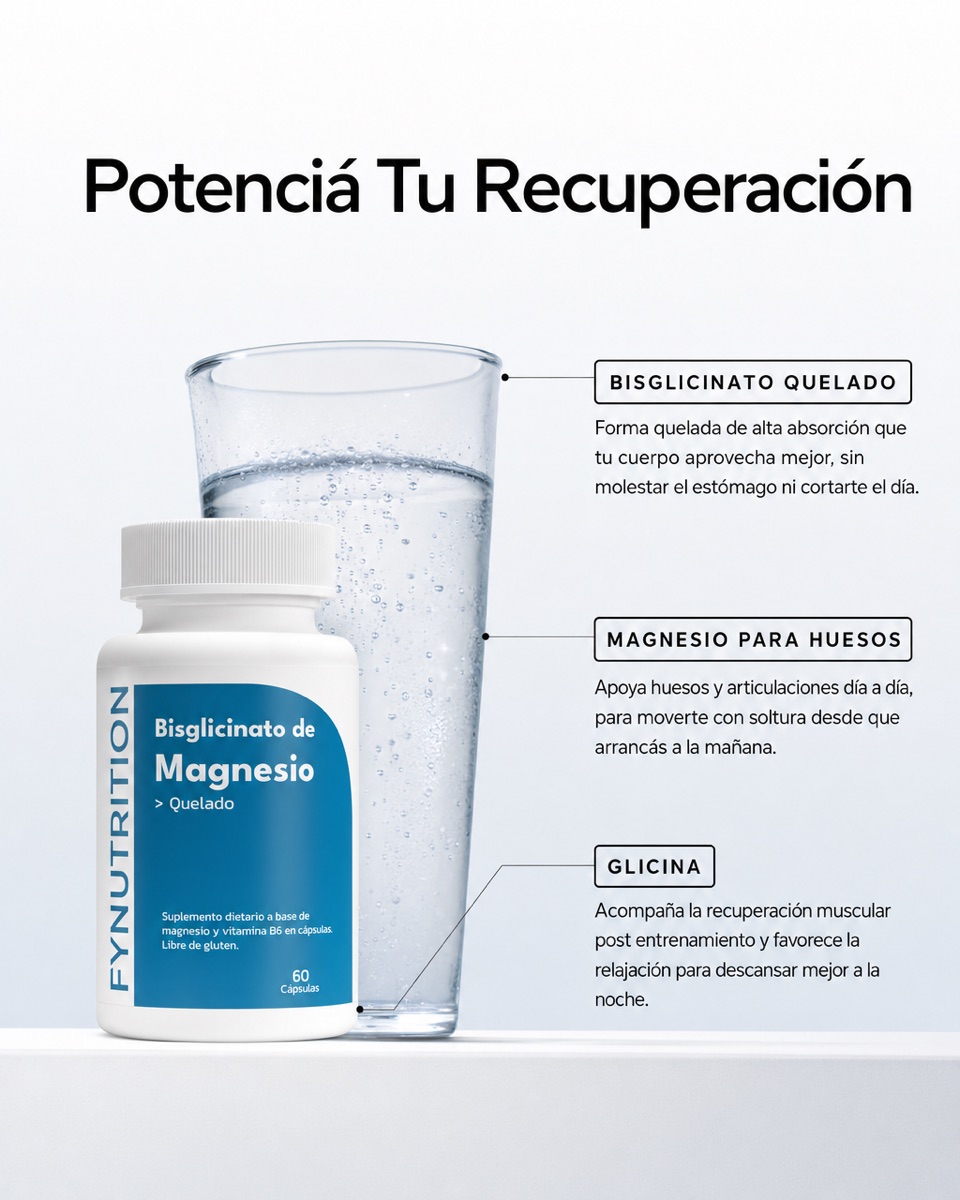
To be fair about the edges: Marketools is static-only and single-brand focused. It isn't a video generator, it isn't a general design suite, and it isn't a 40-network bulk pipeline. It fits benchmark-driven static ads plus competitor intelligence. If you need video or bulk multi-format, one of the other types above will serve you better.
FAQ
What does an AI ad generator actually produce?
Ad creative: copy (headline and body) plus a visual, and often several size variants for different placements. Some tools output a static image, some output short video, some do both. What you get depends on the input you give and how much the tool knows about your brand.
Do I need design skills to use one?
No. The point of the category is to remove the blank canvas. You supply an input (a prompt, a URL, or a photo) and edit the output. Tools that use your brand details or start from a proven structure need less cleanup than tools that generate from a bare prompt.
What is the benchmark approach?
Starting from an ad structure that already works and filling it with your own message and brand, instead of generating from a blank prompt. The layout and copy formula come from a proven reference; the product, hook, and voice are yours. It's the swipe-file instinct applied to the generation step. Learn the parts of a strong structure in the winning static ad formula.
Which AI ad generator should I use?
It depends on your format, scale, and how much you want to start from proven structures. Match the tool to the ads you'll actually run, then compare specifics in the roundup.
Once you know the category, the next step is making the ad. If you want to build one from a proven structure with your own brand, try Marketools or open the Spy Center to start from what's already working in your market. For the manual walkthrough, read how to make a Facebook ad.
Sources
- Common Thread Collective — ad creative
- Motion — static ads creative strategy
- Foreplay — what is a swipe file
Related reading: Best AI ad generators · How to make a Facebook ad · The winning static ad formula